CoreADMonitor is designed to give you enough detail to keep Active Directory and PKI safe, without the noise and complexity of a full-blown monitoring suite.
Dashboards focus on the key questions small IT teams care about: is AD healthy, are domain controllers replicating, are root or issuing certificates and CRLs in good shape, and do I need to act today?
Everything is presented in clear tiles and simple indicators so non-specialists can see at a glance what is green, what is warning, and what needs urgent attention.
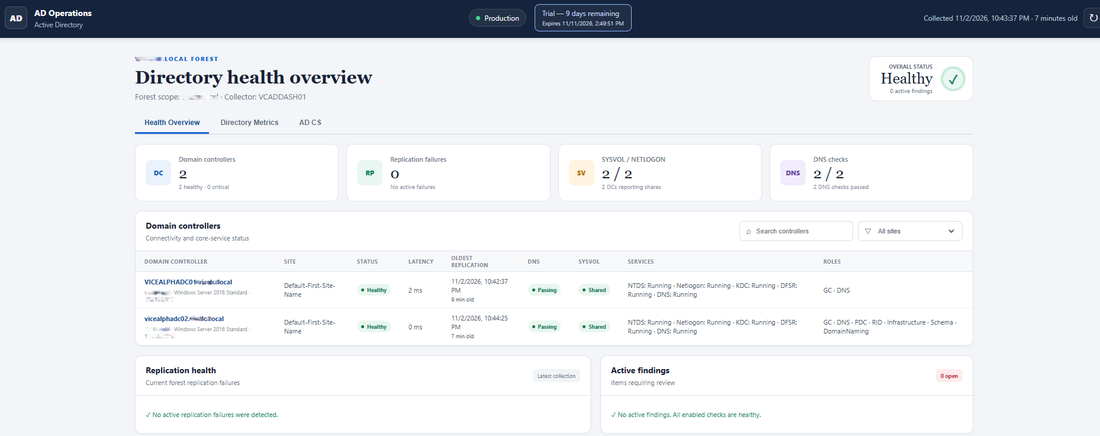
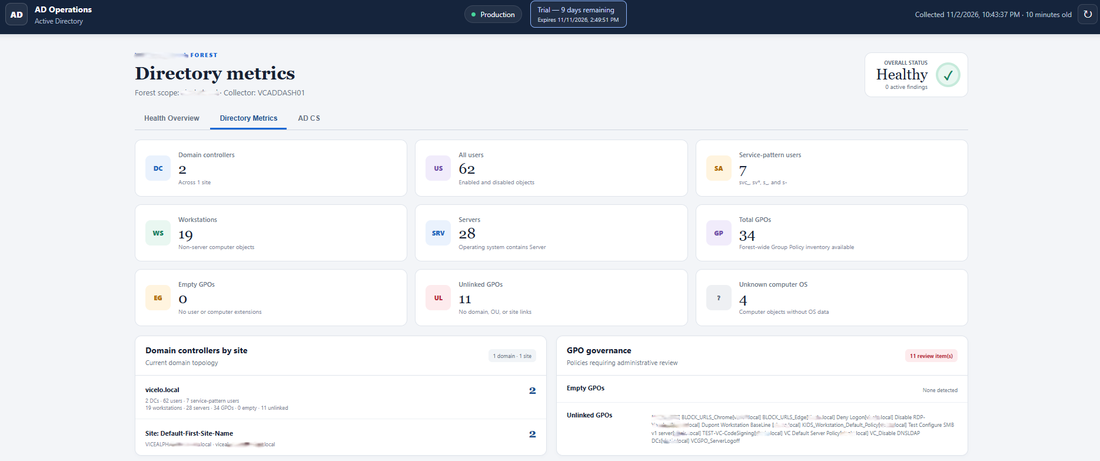
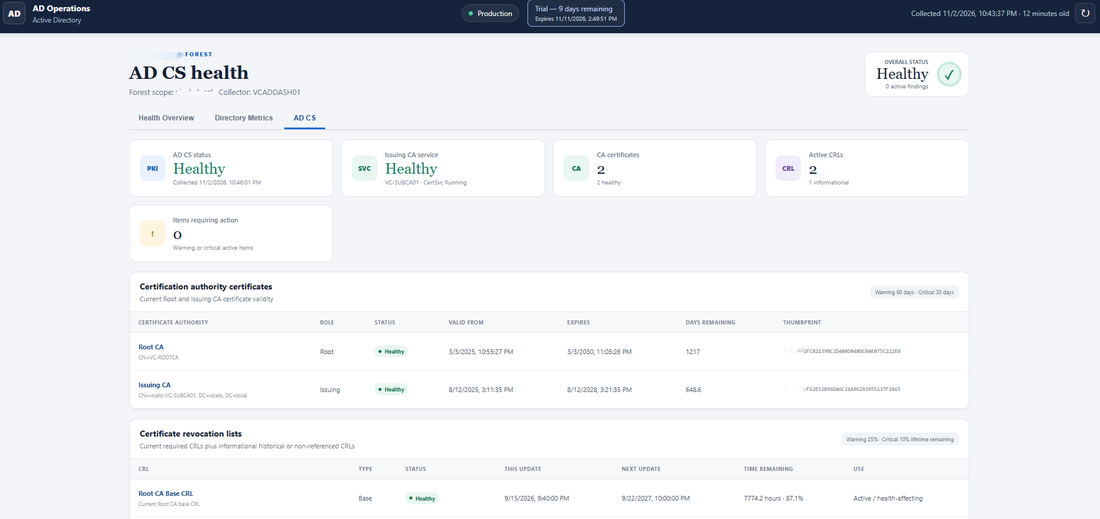
Most dashboards follow a clear visual language: green means healthy, yellow means check soon, and red means act as a priority.
Simple icons and badges are used to highlight different kinds of issues, such as availability problems, replication delays, expiring certificates or CRLs, and configuration gaps.
Thresholds are configurable in the CoreADMonitor settings, so you can tune when tiles turn yellow or red to match your risk appetite without changing the simple, readable layout.
CoreADMonitor is built for quick, repeatable checks that fit into a busy schedule.
Many teams use it for a fast daily glance to confirm that domains, domain controllers and CRLs are all green, then a slightly deeper weekly review to look at upcoming certificate expiries and any persistent yellow items.
When something turns yellow, it is a prompt to plan maintenance or a check; when it turns red, it is a clear signal to investigate and resolve the issue before it becomes a user-facing outage.
CoreADMonitor focuses on giving you clear visibility of AD and PKI health; it is not a full SIEM, log analytics platform or incident management tool.
It does not try to collect or store every security event, replace your backup solution, or manage changes and approvals. Instead, it highlights where your directory, PKI and CRLs may be drifting into an unsafe state.
For organisations that need broader monitoring or formal incident processes, CoreADMonitor can sit alongside other tools and provide a clean view of the AD and PKI layer.